A worker in high-visibility clothing checking a smartphone beside a stack of timber on a construction site.
Features

What the app does.

Two pieces: an app the crew carries and a dashboard the manager opens. Between them they run the roster, record the day and produce the paperwork, without anybody stopping work to fill in a form.

The worker app

Ten states, one screen.

The worker app is a single home screen that changes with the day. A worker never has to decide which screen they need.
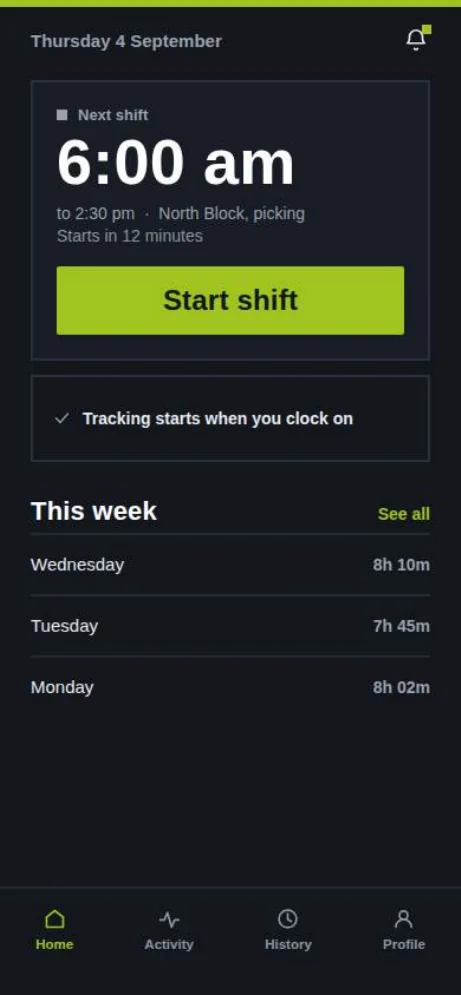
Off shift, rostered: the next shift at 6:00 am at North Block, with this week's hours listed below.
Off shift, rosteredThe next shift, where it is, what the task is, and the hours already worked this week.
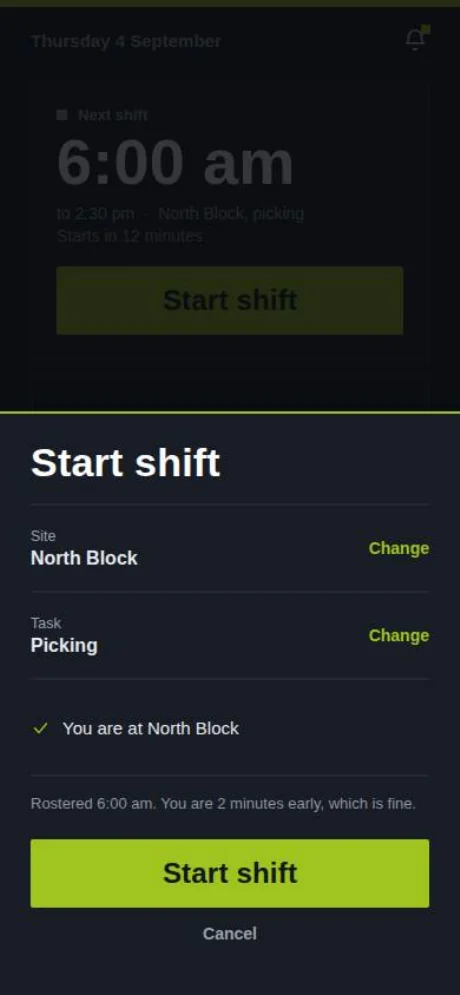
Clock on at site: a confirmation sheet showing site North Block, task Picking, and a note that the worker is two minutes early.
Clock on, at siteSite and task confirmed against the geofence. Two minutes early is fine, and it says so.
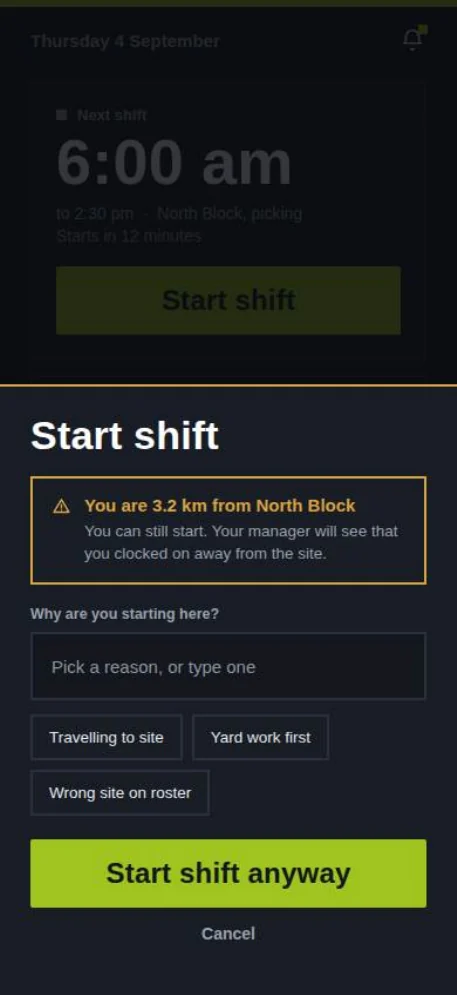
Clock on away from site: a warning that the worker is 8.2 km from North Block, a reason picker, and a Start shift anyway button.
Clock on, away from siteStarting somewhere else is allowed. Pick a reason, and the manager sees the reason rather than a red flag.
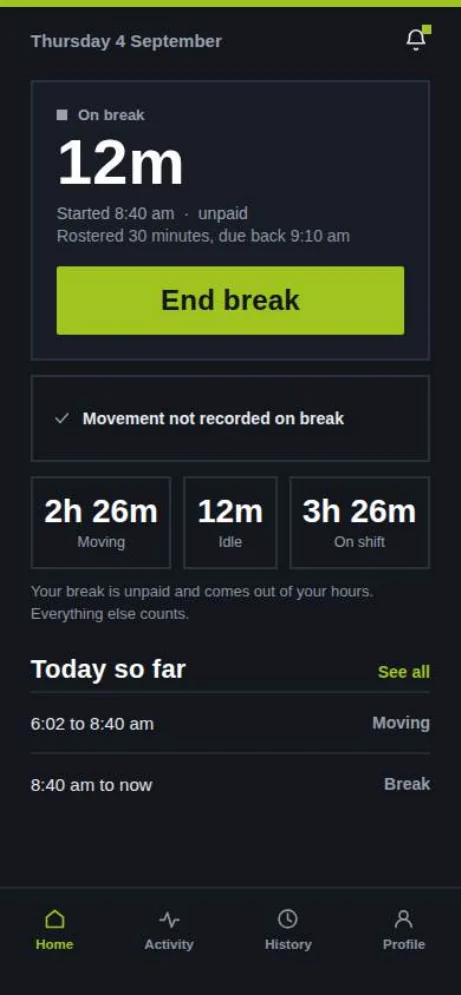
On break: 12 minutes elapsed of a rostered 30 minute unpaid break, with a note that movement is not recorded on break.
On breakNothing is recorded on a break. The app tells the worker that on the screen, not in a policy.
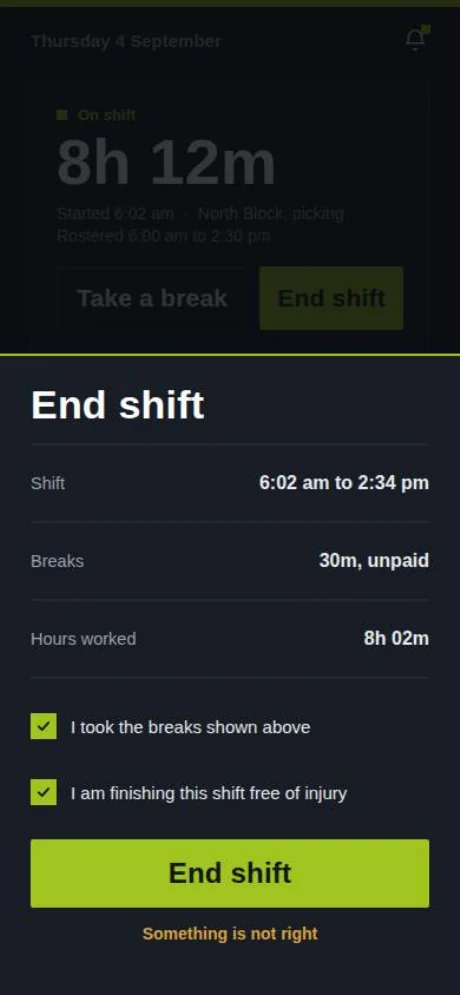
Clock out and attest: shift 6:02 am to 2:34 pm, 30 minutes unpaid breaks, 8 hours 2 minutes worked, with two tick boxes.
Clock off and attestTwo ticks: the breaks were taken, and the shift is finishing free of injury. Both are records.
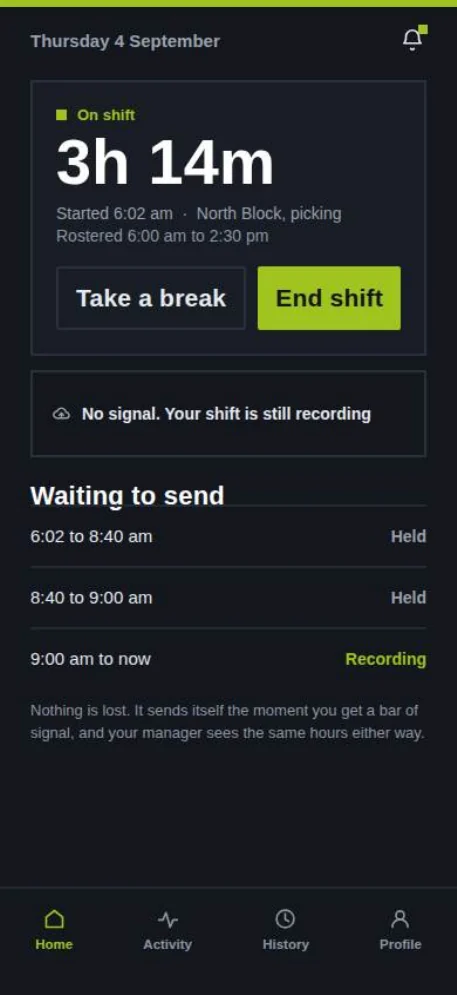
No signal: the shift is still recording, with a waiting to send list of segments held on the phone.
No signalThe shift keeps recording. What is waiting to send is listed, so nobody wonders.
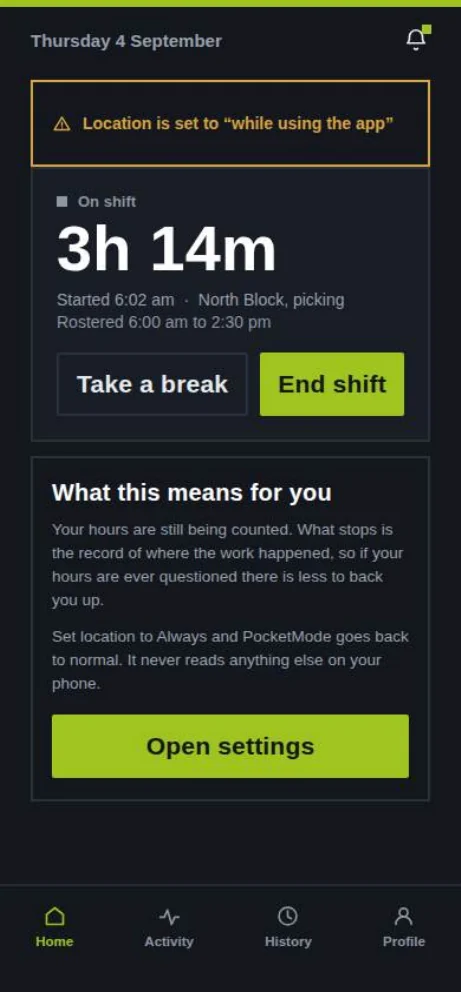
Permission missing: a warning that location is set to while using the app, with an explanation and an Open settings button.
Permission missingExplains what it means for the worker, in the worker's interest, then offers to fix it.
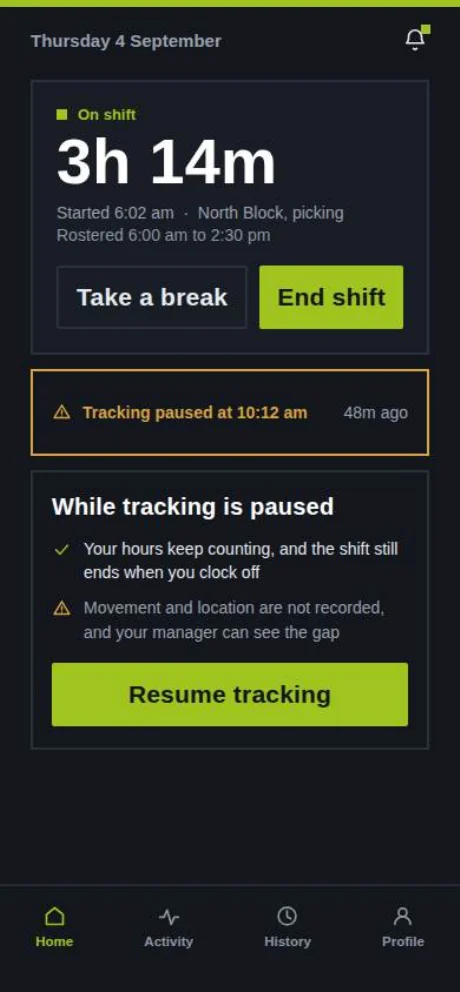
Tracking paused at 10:12 am, with a note that hours keep counting and a Resume tracking button.
Tracking pausedA worker can pause. Hours keep counting, the shift still ends normally, and the gap is visible.
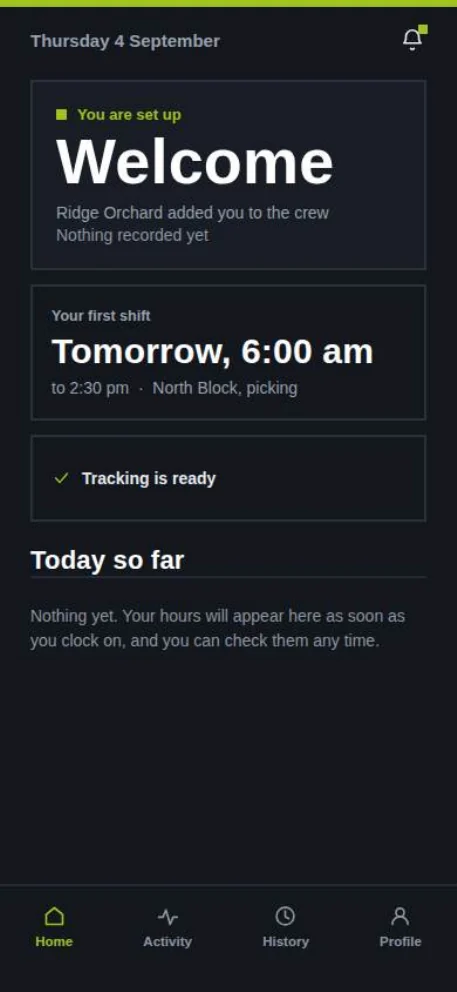
First morning: a welcome screen confirming the worker has been added to the crew, with tomorrow's shift.
First morningAdded to a crew, nothing recorded yet, and a clear picture of what happens next.
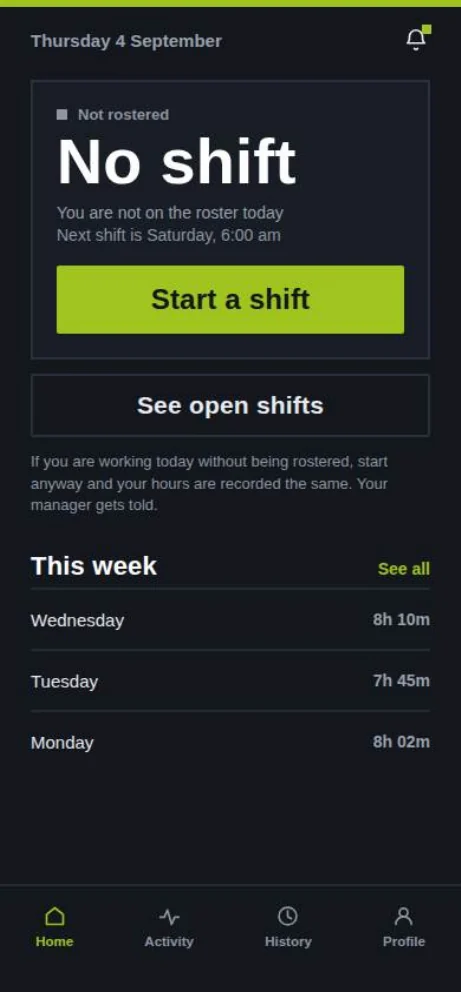
Nothing rostered: no shift today, with buttons to start a shift anyway or see open shifts.
Nothing rosteredWork happening off-roster still gets recorded, and the manager is told.
Feature by feature

What you get.

Rostering

Build the week, publish it, and push changes to the crew's phones. Every version is kept, so what was published on Monday is still recoverable on Friday, along with who changed it and when.

Change historyOpen shiftsCrew and site

Clock on and clock off

Geofenced to the site, and the geofence runs for the length of the shift rather than firing once at the gate. Starting away from site is allowed with a reason, and the reason travels with the record.

GeofencedShift-boundedReason codes

Timesheets

Worked time, breaks, travel and setup, approved by the manager and ready to hand to whoever does the pay run. This is the part that keeps a crew using the app on a wet Tuesday in August, so it is not an add-on module.

ApprovalsTravel and setupIncluded

Conditions and heat alerts

Heat and humidity together rather than temperature alone, plus heavy rain, strong wind and storm risk, recorded against the shift and pushed to the manager. The point is deciding the night before, when a change is cheap.

Per locationOptionalRecorded, not just alerted

Incidents and near misses

About 20 seconds, from the same app the crew clocks on with, and anonymously if they would rather. That includes psychosocial harm, which almost never gets reported through a form with a name on it.

Anonymous routePsychosocialTimestamped

Phone distraction status

Whether a smartphone was pocketed or held during the shift, classified on the device at 5 Hz. It is a property of the record, never a score against a person, and the employer view is built so it cannot become one.

On-deviceShift-boundedNo individual ranking

Manager dashboard

One screen for the day: who is on site, where each crew is, how the shift actually ran, and what needs a decision. Reports and exports for timesheets, incidents and the consent log.
LiveBrowserExports
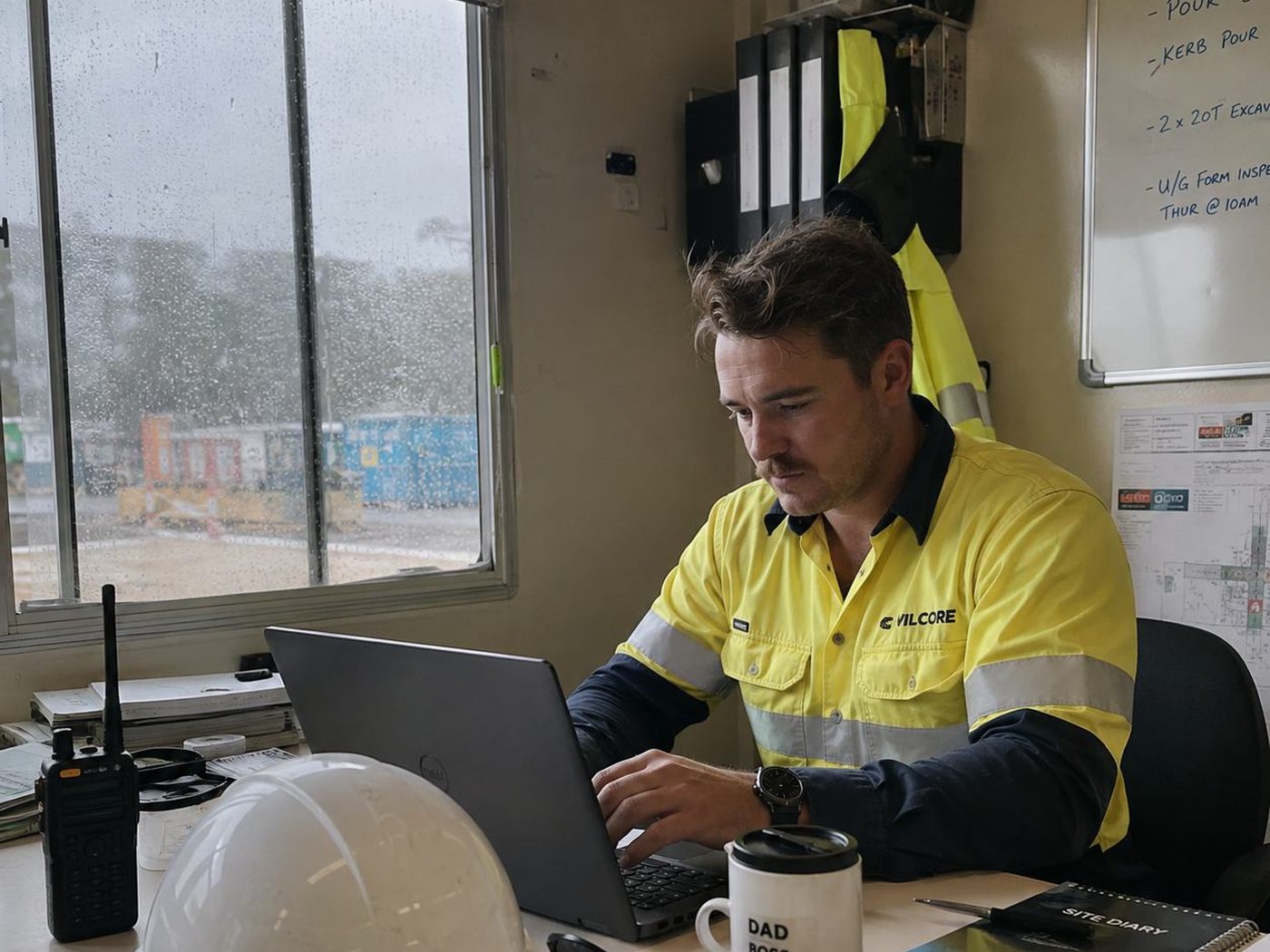
A site office on a construction project.

One app. No hardware.

No beacons, tags, wearables or vehicle units. Nothing extra to buy, nothing to charge overnight and nothing to lose in a paddock.

Sign in

Two ways in, one workspace.

Workers join a crew with an invitation link. Managers and administrators use the browser dashboard.
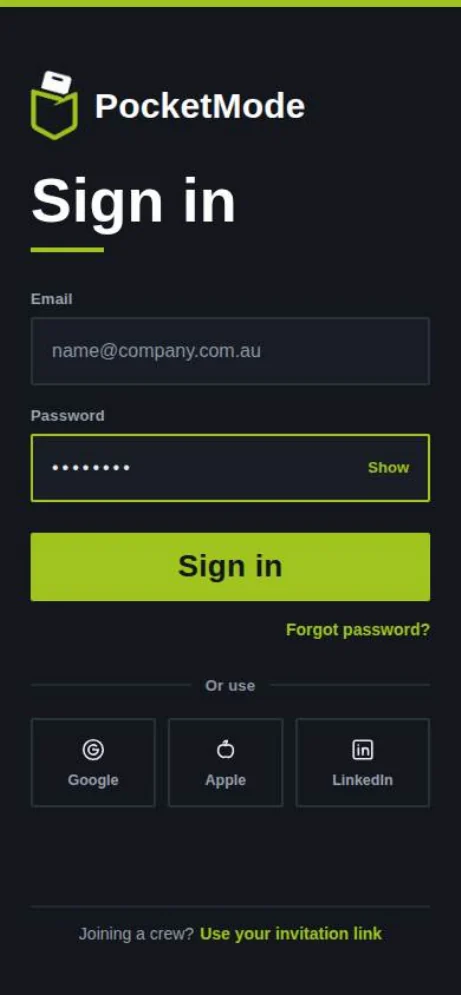
Worker app sign-in screen with email and password fields and Google, Apple and LinkedIn options.
Worker appEmail, or Google, Apple and LinkedIn. Joining a crew uses an invitation link.
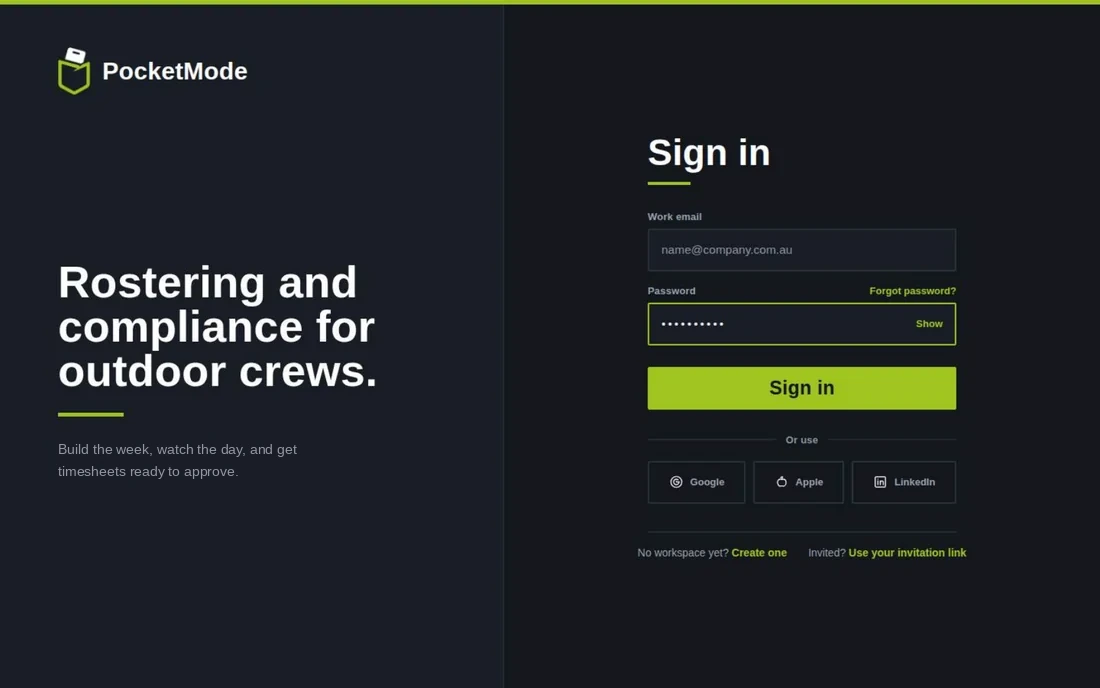
Manager dashboard sign-in screen with the headline Rostering and compliance for outdoor crews.
Manager dashboardRuns in a browser. Nothing to install for the office.

See it on your own crew.

Twelve-week pilots are opening now, free while they run.